
Imperial Knights controls and PC setup
Keyboard map, display size, Steam Cloud, and why menus hitch on a busy desktop.
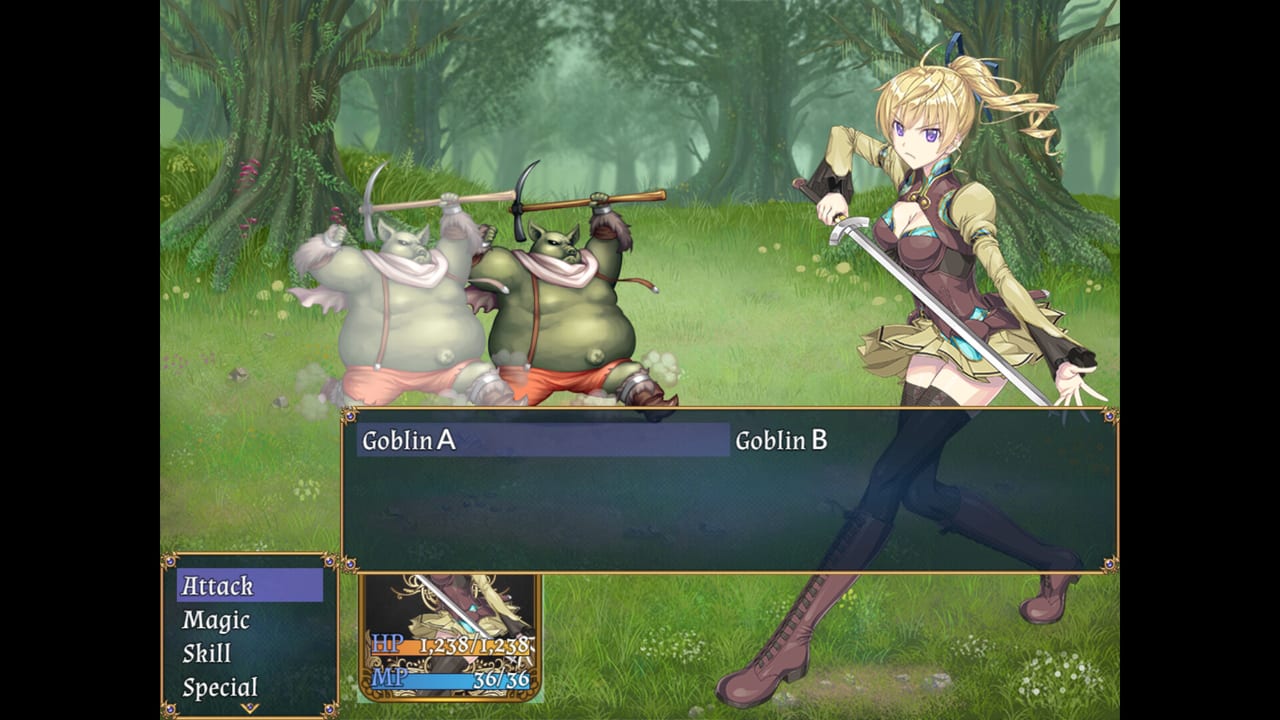
Imperial Knights is an RPG Maker MV game. If you have played Slave’s Sword or any Kagura RPG Maker port, the fingers already know the layout. This page exists for the Steam launch crowd who have never touched that engine, and for anyone hitting black screens, tiny windows, or saves that did not cloud-sync.
The English build is Windows only, single-player, with Steam Cloud. There is no controller overlay advertised on the store page. A gamepad may still work through Steam Input or RPG Maker’s default mapping, but keyboard is the supported path.
System requirements (Steam)
Minimum
- OS: Windows 8 / 8.1 / 10 / 11 (Steam itself requires Windows 10+ as of 2024).
- CPU: Intel Core 2 Duo or better.
- RAM: 4 GB.
- GPU: DirectX 9 / OpenGL 4.1 capable.
- DirectX: 9.0.
- Storage: 4 GB.
- Display: 1280×768 or better.
Recommended
- 2+ GHz CPU, Windows 10/11, same 4 GB RAM and 4 GB disk, OpenGL ES 2.0 / WebGL-capable drivers (the MV runtime talks to a Chromium layer).
Kagura’s notes, copied onto Steam: lag may occur when loading menus or maps. Close other programs. That is not a joke about potatoes. MV titles hitch when Chrome-like runtimes fight a browser, Discord overlay, and a 4K desktop. Fullscreen at native integer scale plus closed overlays fixes nine out of ten “this game is broken” reports.
Steam Deck compatibility is listed as unknown. Deck users should expect desktop-mode experiments, not an official layout. If you try it anyway, set a 1280×768 window and disable the overlay first.
Default keyboard map
RPG Maker MV defaults (confirm in-game if Kagura remapped a key):
- Arrow keys — move Diana, move the command cursor.
- Z / Enter / Space — confirm, talk, inspect.
- X / Esc — cancel, open the menu.
- Shift — dash (hold).
- Page Up / Page Down — scroll long menus, recollection lists, card albums.
- F4 — toggle fullscreen.
- F5 — reload (avoid mid-save).
- F12 — emergency reset to title in many MV builds; treat it as a panic button, not a feature.
Talk to NPCs face-on. Inspect sparkles, shaking plants, and ! marks. The walkthrough calls those out because they hide herbs, jail-escape clicks, and story keys.
Menu habits that save files
- Save in inns and before bosses, not only on Cloud autosave. MV crashes are rare; they are not zero.
- Keep a manor save from before the guild fee. That is your route backup.
- Unequip allies in the menu before they leave a story beat. The game will not warn you.
- Day/night is a menu or bed action, not a real-time clock. Sleep at inns, use beds, or use the explicit wait option when a town event says “come at night.”
- Formation matters once you have four people. Put the healer where you can find her cursor fast during Mud Poison’s AoE.
Battle commands
See combat for systems. Input-wise:
- Vertical list: Attack, Magic, Skill, Item, Special, Defend.
- Target left/right among enemies, up/down among allies for heals.
- Bound actors skip most of that list until they break free — that is why Repair Kits are an item-command problem, not a lore problem.
If a cursor feels stuck, an actor is bound or dead. Open Item → Repair Kit / Stimulant instead of mashing confirm.
Display and UI
- Run fullscreen (F4) or a 1280×768 window. Stretched odd resolutions make the gold frames look muddy.
- The Steam screenshots you see on this wiki (guild hall, forest road, goblin fight) are 16:9 captures of that UI: top-down map or battle art, name box, command list.
- Text speed lives in the options menu. English Kagura scripts are dialogue-heavy; faster text helps, auto-advance hides patch flags.
Saves, Cloud, and the Kagura copy
Steam Cloud is on. If you also own the Kagura store DRM-free build, those folders are not the same. Do not copy save blindly between a patched Kagura directory and steamapps/common without a backup. The patch guide explains which extra files the v1.00 patch expects.
Japanese DLsite upgrades (for example Ver1.10(NEW) on 27 August 2026) keep saves under the game folder at www/save. Poison says you can copy that folder into the new www directory. That copy is unsupported. Never dump it into Steam Cloud. Details: DLC notes.
Family Sharing is listed on Steam. The game is still 18+; sharing does not change that.
Troubleshooting
- Hitching into menus. Close browsers and overlays. The store page already told you.
- Tiny window. F4, then check Windows DPI scaling for the
.exe(Properties → Compatibility → high DPI). - Black screen on launch. GPU drivers, then verify Steam files. MV needs that OpenGL path.
- Cloud save did not appear on a second PC. Wait a minute on the title screen; do not create a new file first.
- Patch “did nothing.” You patched the Steam folder with the wrong zip, or you patched before the first successful launch. Re-read patch.
Once the game is moving, you do not need this page until a keybind fight. Spend the next hour on getting started and the route split. The engine should disappear behind Diana’s first guild request.
Frequently Asked Questions
Quick answers to the questions Imperial Knights players ask first.
Does Imperial Knights support a controller?
Steam does not list native controller support. Keyboard is the safe default. Steam Input may map a pad, but it is unofficial.
What resolution should I use?
1280×768 or an integer scale of that. Fullscreen with F4. Avoid random stretched desktop resolutions.
Is there Steam Cloud?
Yes, on the Steam Windows build. Kagura's DRM-free copy uses local folders instead.
Why do maps stutter?
The RPG Maker runtime loads maps like a mini-browser. Close other programs, as the Steam requirements already warn.